
Built by Invice
Developed in-house in AL, with Danish B2B/B2C logic: customers with a GLN (Global Location Number) get OIOUBL, the Danish e-invoicing format; everyone else gets email.
Web orders become sales orders in Business Central, and stock and prices go back to the shop. From web order to invoice without manual data entry.
For companies that sell goods in several sizes, colours or materials and want orders, stock and invoices to fit together without CSV files.
Developed in-house in AL, with Danish B2B/B2C logic: customers with a GLN (Global Location Number) get OIOUBL, the Danish e-invoicing format; everyone else gets email.
Up to 3 attributes per product — e.g. size, colour and material.
Web orders become sales orders in BC with customer, items, delivery and VAT.
Stock levels in BC are sent to WooCommerce, so you don't sell goods you don't have.
Several WooCommerce shops from one Business Central, with separate settings per shop.
Product translations in Danish, English, German, Norwegian and Swedish.
The connector talks directly to WooCommerce via REST API v3. Products, orders and stock are managed from Business Central, without anyone keying anything in twice.
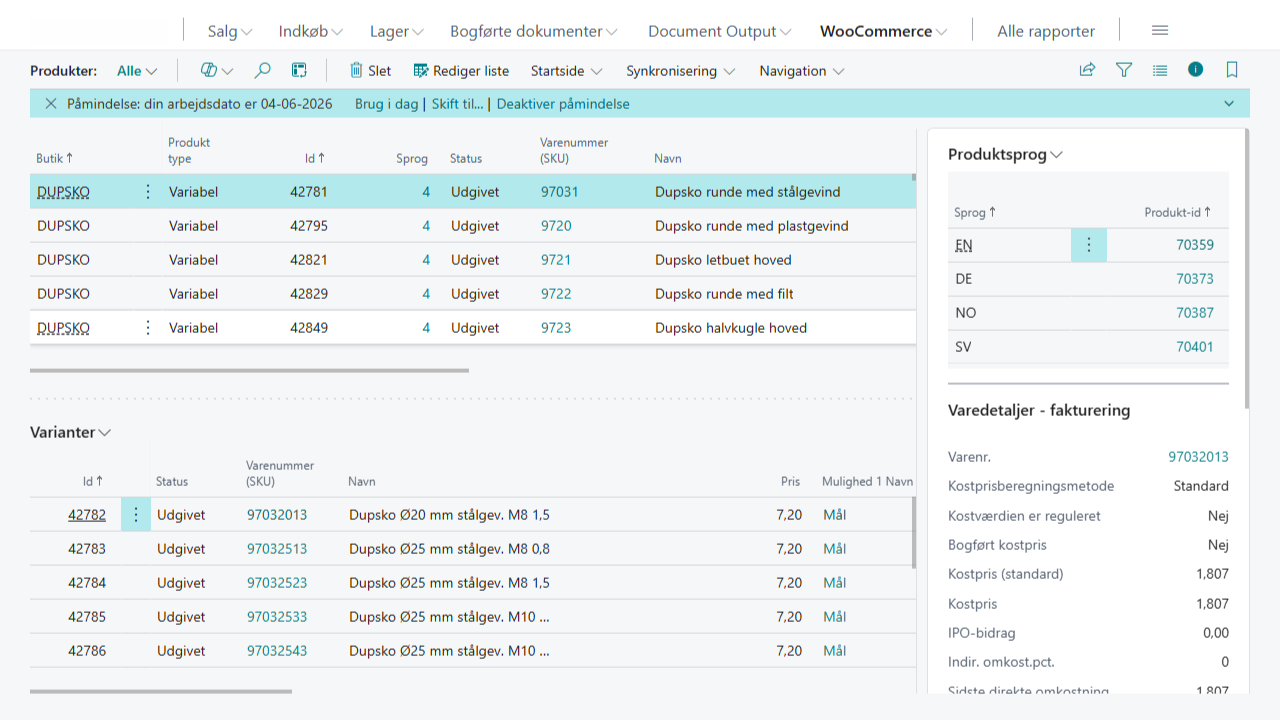
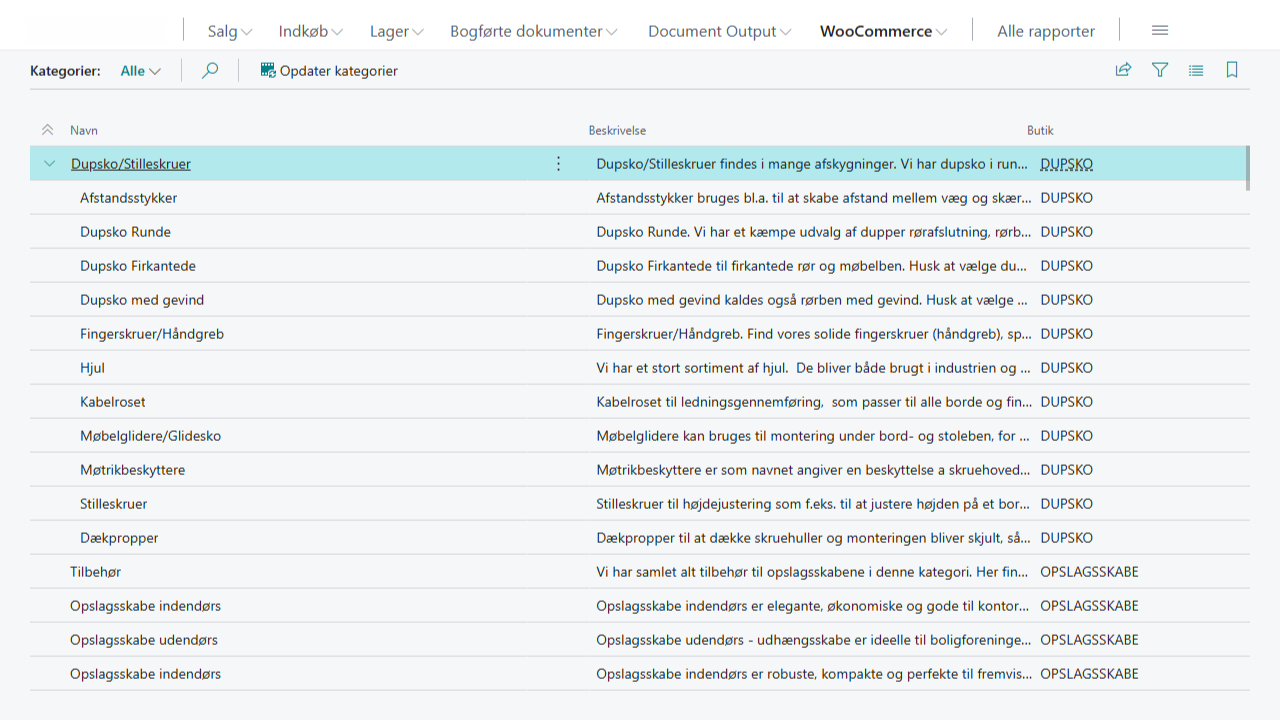
The whole WooCommerce catalogue is imported with the category hierarchy intact. If you have several shops, each gets its own setup, and translations in Danish, English, German, Norwegian and Swedish are synchronised via WPML.
Book a demoSix steps without manual data entry — from the moment the customer puts the item in the basket until the invoice is sent.
The order is created in WooCommerce with items, variants and delivery address.
The order is fetched via REST API, and the customer is looked up in Business Central.
B2C customers are created with their phone number as the customer number. B2B customers are recognised by company name, and a GLN/EAN number means OIOUBL.
Order lines are matched to items in BC by SKU. Shipping and VAT are included.
Picking, delivery and invoice are posted. Continia sends the invoice as OIOUBL or email.
Stock levels in BC are sent back to WooCommerce, so the shop shows the right quantity.
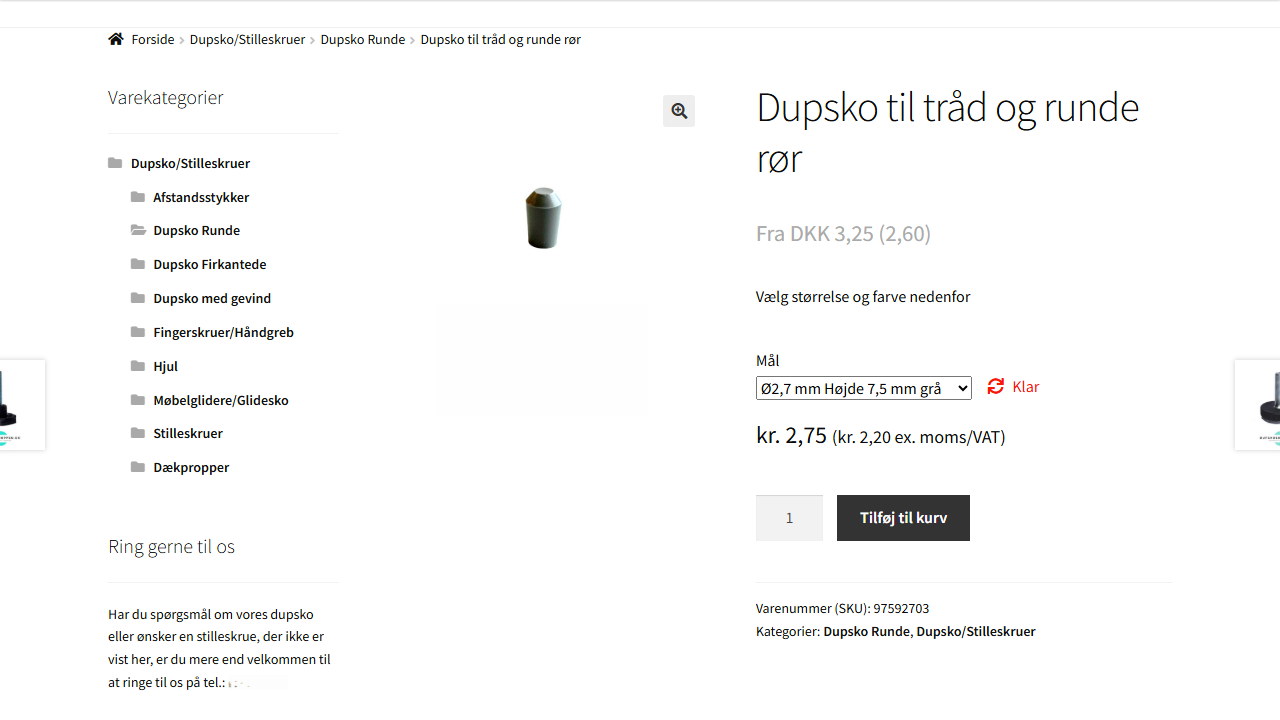
Variable products with up to 3 attributes (e.g. size, colour, material) are imported as the type "Variable" in Business Central. Each variant is matched to an item in BC by SKU, so price and stock follow the individual variant.
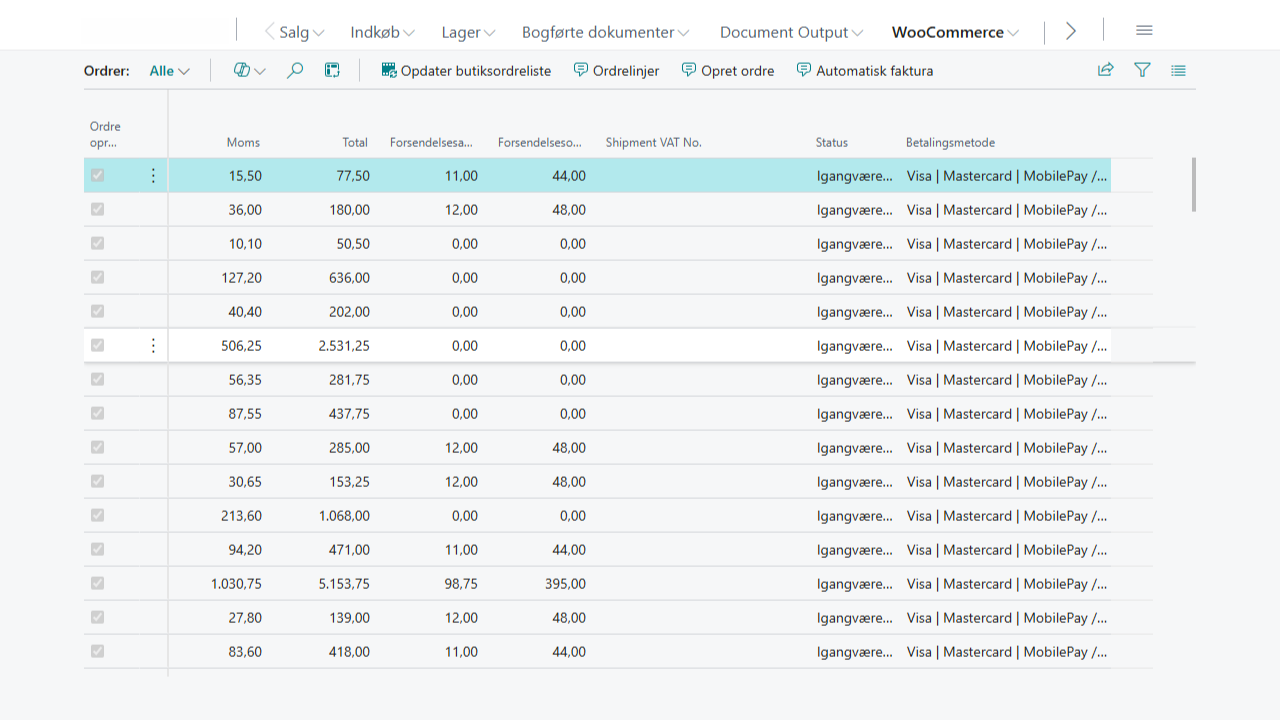
Orders are imported with billing and delivery address, payment method, VAT and shipping. If the customer has a GLN number, the invoice goes as OIOUBL via Continia. B2C customers get the invoice by email.
Anyone who sells physical goods with variants through WooCommerce and keeps their books in Business Central.
Book half an hour straight in the calendar, or write and one of us gets back to you the same working day. You leave the conversation with a concrete assessment of what your task requires.