
Send agreements for signature straight from Business Central, follow each signer, and get the signed PDF attached to the document automatically.
How an agreement gets signed today
Business Central makes the document, but the signature happens in another system. That means manual work at both ends, and meanwhile nobody can see the status in Business Central.
The document leaves Business Central
The sales order, quote or contract is saved as a PDF on the desktop so it can be sent somewhere else.
The recipients are typed in again
The PDF is uploaded to a signing service, and the customer's name and email are typed in again, even though they are already on the customer in Business Central.
Nobody can see the status in Business Central
Only the person who sent the agreement knows whether the customer has signed. The order sits waiting, and the bookkeepers ask around.
The signed agreement lands in an inbox
The finished PDF has to be downloaded and attached to the order by hand. If someone forgets, the agreement sits in one employee's mail and not on the customer.
The proof lives somewhere else
If the agreement is disputed, you have to work out which version was signed, by whom and when, in a system next to the ERP.
Invice Sign keeps it all in Business Central: you send from the document, see the status on the document, and the signed PDF with its proof sits on the document afterwards. No download, no upload, no attaching by hand.
From draft to signed agreement
Send for signature from the document itself
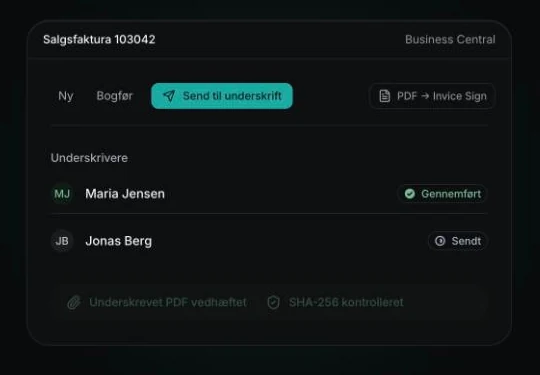
With the Invice Sign extension you press “Send for signature” on the sales order, invoice or contract. The document becomes a PDF by itself, and the signers come from the customer.
- The status of each signer syncs back to the document
- The signed PDF is fetched, checked with SHA-256 and attached automatically
- Emails to signers are sent from Business Central in your own name
The fields find their own place
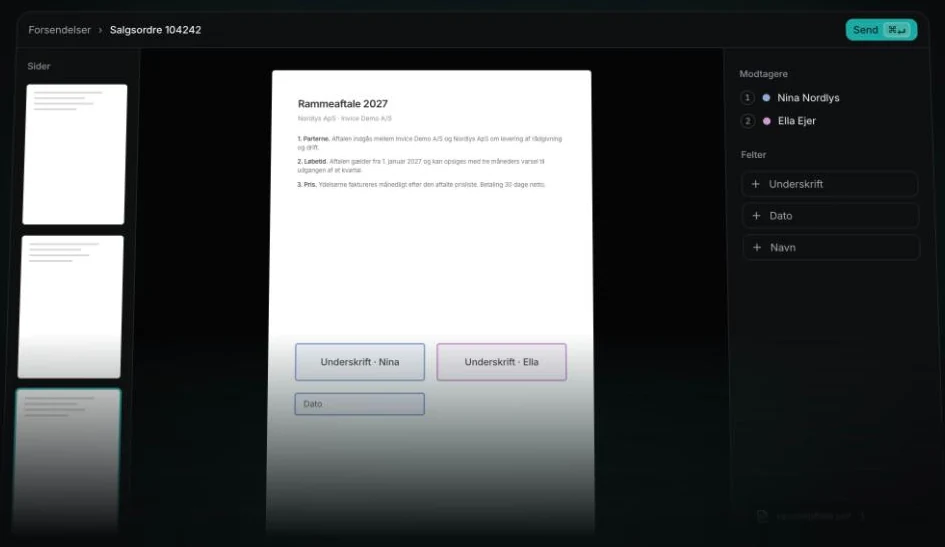
All pages are gathered in one document. You choose recipients and order, and signature, date and name fields go on the page. The next signer is notified when it is their turn.
- Signers in the order you decide
- Templates and bulk sending from a CSV file, one envelope per row
- Document and email in Danish or English, per recipient
Sign on the phone, without an app
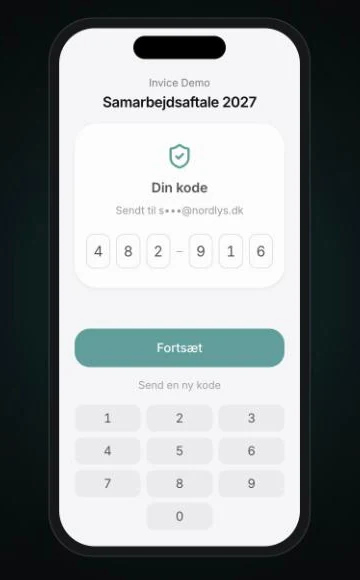
The customer gets a link and a one-time code by email, sees the whole document and signs with a finger. It takes under a minute, and the customer gets their copy as soon as it is done.
- The code confirms it is the right person
- Draw, type or upload the signature
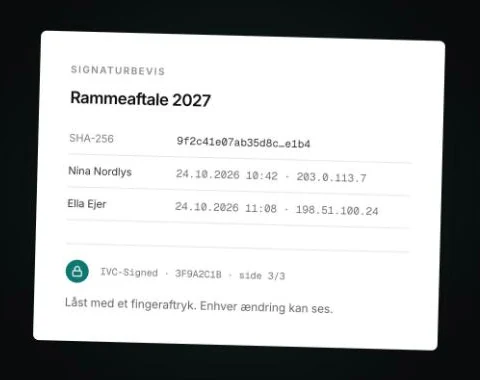
Proof page, fingerprint and a lock on every page
Time, IP address, browser and the document's SHA-256 fingerprint are gathered on a proof page in the finished PDF. Each event is chained to the previous one, so a break shows.
- Every page gets a small lock with a short id
- Public validator: upload the PDF and the fingerprint is looked up. The file is not stored
Screenshots from sign.invice.com with demo data.
What type of signature you get
- Invice Sign provides simple electronic signatures (SES): the signer confirms their email with a one-time code. That suits sales orders, quotes, service agreements and most contracts where no higher signature type is required.
- Invice Sign does not issue advanced (AdES) or qualified (QES) signatures. MitID via an approved broker is on the way, so you can later require stronger identification.
Try it on a real agreement
Create an account at sign.invice.com and send your first agreement today. If it should run from Business Central, we set up the extension for you.
Tell us what you dream of Business Central doing.
Book half an hour straight in the calendar, or write and one of us gets back to you the same working day. You leave the conversation with a concrete assessment of what it takes.
Has your partner told you that reverse charge VAT or the margin scheme for second-hand goods will cost half a million? Several of our customers have heard that. Book a meeting and get a second opinion.